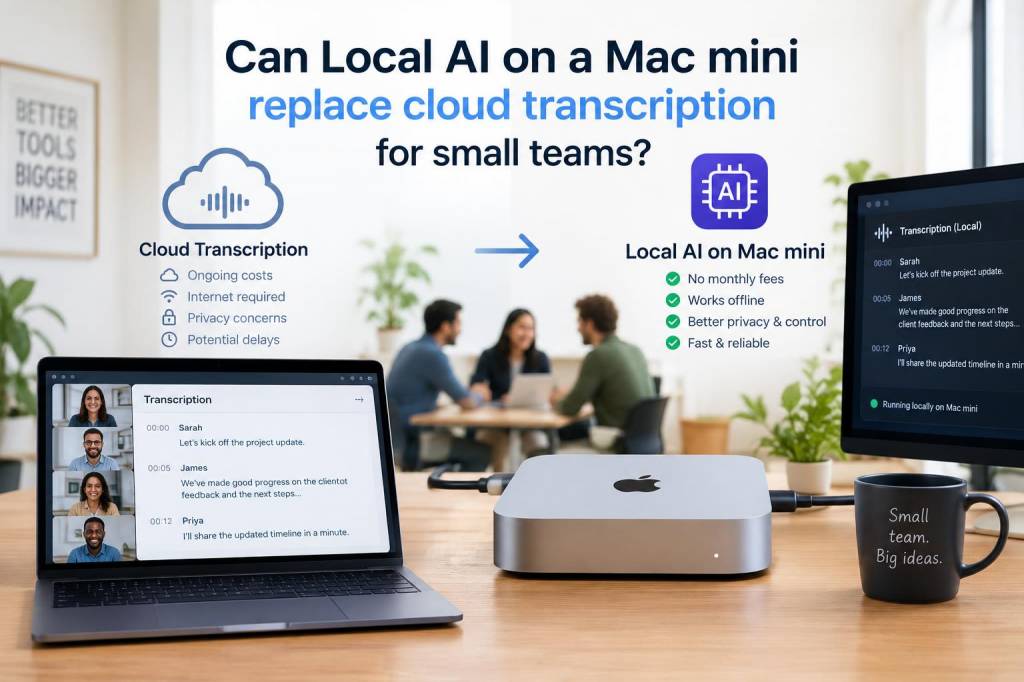
When I started testing local AI transcription on a Mac mini, I wanted a simple answer: can it really replace cloud transcription for a small team? After living with both approaches across meetings, interviews, product demos, and internal planning calls, my answer is a cautious yes. In the right workflow, a Mac mini running local transcription can replace a cloud service for many small teams. In the wrong workflow, it becomes a frustrating compromise that saves privacy but costs time.
What matters most is not whether local AI can transcribe audio at all. It can. What matters is whether it can do so with enough accuracy, speed, convenience, and collaboration features to fit the way a team actually works. That is where the comparison gets interesting, because transcription is not just about text. It is about turnaround time, speaker labels, editing tools, sharing, security, and the hidden cost of maintenance.
Why I started looking at local transcription
I first became interested in local transcription because cloud tools began to feel too present in my workflow. Every meeting recording, every client interview, every brainstorming session was being sent to an external service. For some teams, that is fine. For others, especially those handling sensitive product plans, customer details, legal discussions, or early-stage research, that dependency can become uncomfortable very quickly.
The Mac mini is an appealing machine for this kind of experiment because it is small, quiet, energy efficient, and surprisingly capable when paired with Apple Silicon. Even a modest configuration can handle useful local AI workloads. When I tested transcription locally, I was not looking for a lab demo. I wanted something that could sit on a desk, ingest audio, and turn it into usable notes without turning every meeting into a technical project.
I also wanted to know whether a small team could realistically adopt this setup without hiring an AI specialist. That question matters more than raw model quality. A tool that works only for technically confident users is not a true replacement for a cloud transcription platform.
Where the Mac mini does well
Local transcription on a Mac mini has three strong advantages that I noticed immediately: privacy, predictable cost, and control.
- Privacy: audio can stay on the device or inside a local network, which is a major win for sensitive discussions.
- Predictable cost: once hardware is purchased, ongoing usage does not rise with every additional hour of transcription.
- Control: I can choose the model, tune the workflow, and decide exactly where files live.
That last point is easy to underestimate. With cloud transcription, I often adapted my process around the tool. With local transcription, I could adapt the tool around my process. For example, I could batch files overnight, keep project folders structured in a way that matched our internal naming system, and avoid sending raw audio outside the team.
For quiet, routine use, the Mac mini feels surprisingly effective. It can sit in an office and process recordings while everyone else works. If your team transcribes a manageable number of meetings each week, the machine can become a dependable local service rather than an attention-grabbing gadget.
Where cloud transcription still feels easier
Cloud transcription still has one major advantage: convenience. Most cloud products are built for immediate use. Upload a file, wait a short time, and you usually get a polished result with speaker separation, timestamps, searchable transcripts, summary generation, and collaboration features already included.
That matters because transcription is rarely the final step. In many teams, people want more than raw text. They want highlights, action items, shared comments, version history, and access from any device. Cloud platforms often package all of that neatly. Local setups usually do not.
I also noticed that cloud tools tend to be more forgiving when audio quality is uneven. They may not be perfect, but they often provide a smoother experience for messy meetings, overlapping voices, remote participants, and background noise. Local models can do well, but they often need cleaner audio and more user intervention to reach the same level of usability.
Accuracy is good enough, but not magical
This is where expectations matter. A local model on a Mac mini can produce strong transcripts, especially for clear speech, standard accents, and recordings with decent microphones. For many internal meetings, that is enough. I could understand what was said, search across notes, and recover decisions without listening to an entire recording again.
Still, local transcription is not magical. It struggles more with crosstalk, jargon, poor room acoustics, fast speech, and names that are uncommon or highly domain-specific. Cloud services often have the advantage of larger infrastructure, more aggressive post-processing, and more frequent vendor-side improvements. That does not make local transcription bad. It just means I have to be realistic about the use case.
In practice, I found local transcription to be good at producing a solid first draft. I would still skim and clean the result, especially for client-facing material or anything that needed precision. For internal use, that level of quality was often enough.
What small teams should think about before switching
Before I would recommend replacing cloud transcription entirely, I would ask a small team to think through a few operational questions.
- Do you need transcripts instantly, or is overnight processing acceptable?
- Do you require browser-based sharing for non-technical teammates?
- Is your audio volume low enough that one Mac mini can handle it comfortably?
- Do you have someone who can maintain updates, storage, backups, and model changes?
- Are privacy or compliance concerns strong enough to justify more setup work?
If the answers lean toward privacy, modest volume, and internal use, local transcription becomes much more attractive. If the team wants an effortless, always-available, cross-device collaboration layer, cloud services still win.
I also think the human factor matters. Some teams love tinkering. Others want something that simply works and never asks for attention. A Mac mini transcription setup rewards the first type far more than the second.
A practical comparison from my own workflow
| Factor | Mac mini local AI | Cloud transcription |
|---|---|---|
| Privacy | Very strong | Depends on vendor policies |
| Upfront cost | Higher hardware cost | Usually low |
| Ongoing cost | Low and predictable | Can rise with usage |
| Setup effort | Moderate to high | Low |
| Collaboration | Usually limited without extra tooling | Often built in |
| Speed for one-off jobs | Good, but not always instant | Often faster from a user perspective |
| Maintenance | Requires attention | Mostly handled by vendor |
That table matches my lived experience more than marketing claims do. Local AI is attractive when you care about ownership and control. Cloud transcription is attractive when you care about speed and convenience. The decision comes down to which pain point matters more.
What I would do for a team of five to ten people
If I were setting this up for a small team, I would not try to force a pure either-or answer. I would likely use a hybrid approach.
For sensitive meetings, private strategy sessions, early product discussions, or anything involving external confidentiality, I would route audio through the Mac mini and keep processing local. For casual team standups, webinar recordings, or public interviews, I would keep using cloud transcription if it already fits the workflow.
That hybrid model often delivers the best balance. It reduces cloud dependence where privacy matters most while preserving convenience where speed and collaboration matter more.
I would also be careful about storage. Local transcription creates a habit of keeping more audio around. That is useful for review, but it also means the team needs a clear retention policy. If audio files remain on the machine indefinitely, privacy benefits shrink. I found that disciplined file cleanup and backups matter almost as much as transcription quality.
My honest answer
Can local AI on a Mac mini replace cloud transcription for small teams? Yes, if the team values privacy, can tolerate a little setup work, and mostly needs accurate transcripts rather than a full collaboration platform.
For me, the biggest surprise was not that local AI worked. It was that it worked well enough to become genuinely useful in daily work. The bigger question was whether it fit the team’s habits. When the workflow was simple and the expectations were clear, the Mac mini handled the job better than I expected. When the workflow needed instant sharing, polished summaries, and minimal maintenance, cloud transcription still felt easier.
So I no longer think of local transcription as a niche experiment. I think of it as a serious option for small teams that want more control over their data and are willing to trade some convenience for that control. In my own work, that trade is sometimes worth it, and sometimes it is not. That balance, more than any benchmark, is what decides whether the Mac mini becomes a replacement or just another tool on the desk.