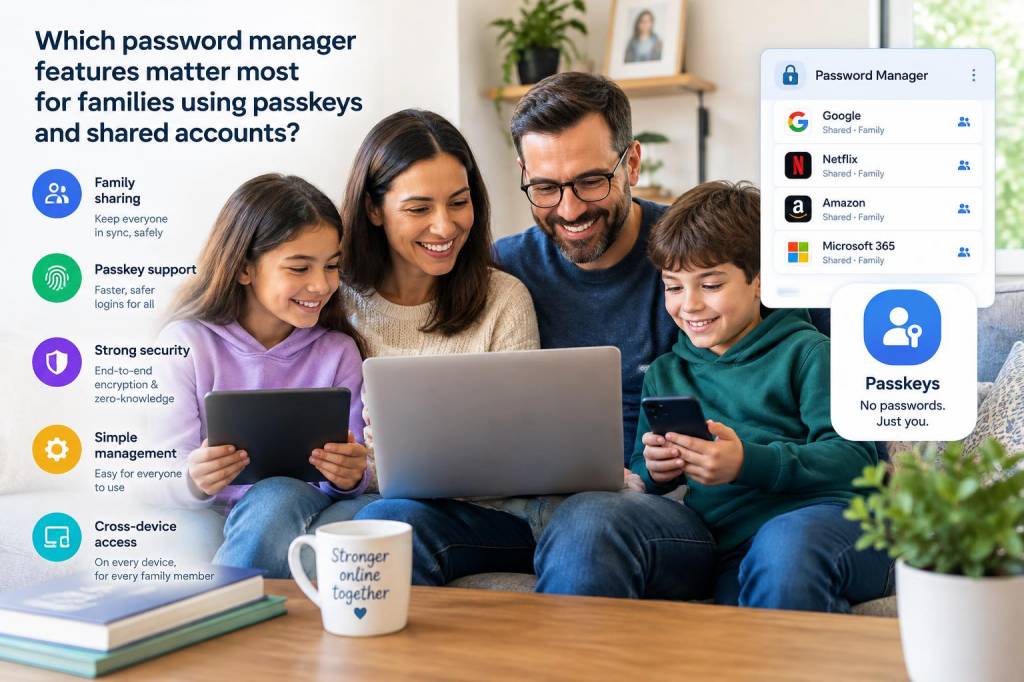
When I look at password managers for families, I do not start with vault size or a flashy interface. I start with a simple question: can this tool keep everyone safe without making daily life harder? Once passkeys enter the picture, that question becomes even more important. Families are not single users with one laptop and one email address. Families are parents, children, shared subscriptions, school portals, streaming accounts, banking logins, emergency contacts, smart home systems, and a long list of services that are used from many devices by many people with very different habits.
In my experience, a password manager for a family has to do more than store secrets. It has to organize trust. It has to make sharing feel controlled rather than chaotic. It has to support passkeys without confusing people who are still learning what a passkey is. And it has to protect shared accounts without turning every login into a support request from someone at home asking, “Where is the code?”
What changes when passkeys enter family life
Passkeys are a major shift because they reduce dependence on passwords, but they do not eliminate family account complexity. A passkey can be easier to use than a password, yet a household still needs a way to know who can access what, from which device, and under which conditions. If one person loses a phone or buys a new laptop, everyone else should not be locked out of a streaming service, a school portal, or a shared cloud folder.
That is why I pay close attention to whether a password manager supports passkeys as first-class items, not as an afterthought. A strong family tool should let me create, store, sync, and use passkeys across devices with minimal friction. It should also make it clear when a passkey is tied to a person, a device, or a shared family item. If that distinction is blurry, the family will eventually resort to insecure workarounds like screenshots, note apps, or sending login details in chat.
For me, the most important passkey-related feature is cross-device synchronization with clear recovery options. People forget devices, replace phones, and switch browsers. A family password manager should make account recovery possible without creating a single point of failure. If one parent controls everything, that may feel convenient at first, but it creates risk if that person is unavailable or if the account is compromised.
Shared vaults need boundaries, not just access
Shared accounts are where family password managers either become genuinely useful or quietly disappointing. I have seen too many products that treat sharing as a basic copy-and-paste action. That is not enough. Families need structured sharing. A good manager should let me divide items into shared vaults by purpose: streaming, utilities, school, travel, home devices, and emergency access. That structure matters because not every person in the family should see every credential.
I want granular permissions. If I share a school portal with my partner, I may want both of us to use it, but only one of us to edit the recovery email. If I share a streaming service with teenagers, I may want them to log in without seeing billing details. If I store a shared Wi-Fi password, I may want guests excluded completely. Family life needs these distinctions.
The feature I value most here is role-based access. Some password managers give every member the same level of visibility. That is simple, but it is not smart. A household manager should allow different roles for parents, older children, and younger children if the service allows them at all. Even if the product does not market itself with enterprise language, the same idea applies: not everyone needs the same keys.
Emergency access matters more than marketing claims
I think emergency access is one of the most underrated family features. It sounds boring until it saves a household during illness, travel disruption, or device loss. If one adult handles taxes, banking, home insurance, or medical portals, another trusted family member needs a secure path in when necessary. That path should not require exposing everything all the time.
Good emergency access should include a waiting period, clear notifications, and the ability to approve or cancel requests. I do not trust a system that allows instant takeover without visibility. A family password manager should balance urgency and control. If someone is trying to access a vault because of a real emergency, there should be a built-in process that preserves accountability. If someone is trying to misuse access, the family should know.
I also look for recovery methods beyond a single master password. If a family account depends entirely on one phrase known only to one person, that may work until it suddenly does not. Recovery codes, trusted contacts, device-based approval, and secure admin recovery are all worth far more to me than a polished dashboard.
Ease of use is a security feature
Many people talk about security as if it exists separately from usability. In real homes, they are inseparable. If a password manager is confusing, family members will stop using it. When that happens, security collapses quietly. People write passwords on paper, reuse weak ones, or keep shared logins in messaging apps. That is not because they do not care. It is because the tool failed to fit real life.
I want a family password manager with a clean onboarding process, easy vault sharing, and straightforward prompts when creating passkeys. The product should explain itself without requiring a technical background. When a parent adds a teenager to the family plan, the setup should feel manageable. When a grandparent joins to help with travel or medical access, the experience should still make sense.
Autofill behavior matters too. If logins fail frequently on phones, tablets, and browsers, people will abandon the tool. A reliable autofill system reduces friction and lowers the temptation to reuse passwords. I also care about how quickly the manager suggests passkey use when a site supports it. Subtle reminders are better than aggressive popups, but they should be present.
Security controls should be visible and understandable
When I evaluate a password manager for families, I want security controls that are visible enough for ordinary users to understand. A security dashboard is useful only if it shows issues in plain language. I want alerts for reused passwords, weak passwords, missing passkeys, inactive shared accounts, and suspicious sign-in attempts. If the dashboard buries these problems behind jargon, it loses value.
Multi-factor authentication is still essential, even in a passkey world. Families often mix old and new account types, and not every service supports passkeys yet. A strong manager should support multiple authentication methods for the family account itself, including hardware keys, authenticator apps, and recovery codes. I prefer products that let me choose stronger options without making setup painful.
I also look for session management. If a family member logs in on a school laptop or a borrowed device, I want that session visible and removable. A password manager should show active devices, recent logins, and account activity in a way that ordinary users can inspect. Visibility builds trust.
Children and teens need different handling
Families are not all the same, and children are not simply smaller adults. A password manager should reflect that. Younger children may not need their own independent vault at all. Teens, however, often do. They manage school accounts, game services, email, and social platforms. They need privacy, but they also need boundaries.
I like systems that allow a parent to share selected items with a teen while keeping the parent in control of account recovery and emergency access. That arrangement teaches responsibility without handing over the entire household vault. If a manager offers activity alerts or sharing history, that can help parents stay informed without being intrusive.
For younger children, I focus more on family-owned accounts and safe sharing than on personal ownership. A password manager should support that distinction cleanly. It should not force a child to manage secrets they are not ready for, and it should not make parents choose between total surveillance and total chaos.
Privacy features are not optional in a family setting
Families often assume that convenience and privacy are competing goals, but a good password manager can support both. I want strong encryption, a clear zero-knowledge model if available, and a transparent privacy policy. If a service says it protects data but also collects more metadata than necessary, I pay attention. Family accounts may contain health portals, financial logins, travel documents, and home access details. That is sensitive material.
I also value local control over certain sharing choices. Some families want cloud sync, and that is reasonable. Others want stronger separation between home devices and work devices. A manager that supports device-level control, offline access, and selective sync earns my trust more than one that pushes every feature through a single cloud path.
Another detail I check is whether the provider handles sharing links securely. Temporary access links, expiration settings, and revocation tools all matter. If a family shares a login with a contractor, sitter, or relative for a short period, they should be able to remove access without changing everything manually afterward.
What I look for in practical family workflows
In everyday use, I care less about abstract features and more about whether the workflow fits real habits. A family manager should make it easy to:
- Create separate vaults for shared services and private items
- Move credentials between vaults without breaking access
- Share passkeys as smoothly as passwords
- Recover access after a lost phone or replaced laptop
- Monitor active sessions and recent changes
- Grant temporary access with automatic expiration
- Set stronger protections for banking, email, and home systems
Those actions sound ordinary, but they are where family security succeeds or fails. If moving a credential is complicated, people leave it in the wrong place. If temporary access is hard to revoke, people keep using old links. If a passkey cannot be migrated cleanly, someone will fall back to a weak password. I want the manager to reduce those failures before they happen.
A simple comparison of features I prioritize
| Feature area | What I want | Why it matters for families |
|---|---|---|
| Passkey support | Easy creation, sync, and recovery | Reduces password dependence without locking people out |
| Shared vaults | Separate spaces with permissions | Keeps family access organized and limited |
| Emergency access | Waiting periods and notifications | Supports real emergencies without reckless exposure |
| Device control | Visible sessions and remote revocation | Helps when phones or laptops are lost or replaced |
| Recovery options | Multiple secure recovery paths | Prevents a single person or device from becoming a weak point |
| Usability | Simple setup and reliable autofill | Encourages consistent use across all family members |
Brand differences that can matter in real households
Different password managers approach family use in different ways. Some, like 1Password, are often praised for family vault organization and friendly recovery options. Others, like Bitwarden, appeal to people who value flexibility and strong security fundamentals. Dashlane, Keeper, and NordPass each have their own strengths in sharing, device support, and interface design. I do not think a family should choose based on reputation alone. I think they should compare the actual household workflow.
For me, the question is not which product is universally superior. It is which one gives a specific family the right balance of shared access, recovery, passkey support, and clarity. A family with young children may want a very different setup from a household where everyone is technically confident. A product that looks powerful on paper can still be the wrong fit if its sharing model is awkward or its recovery is too rigid.
When I test these tools, I watch for whether the family can actually explain the system to one another. If a spouse, partner, or older child cannot understand where a shared login lives and who can edit it, the tool has already lost part of its value. Security that only one person understands is fragile security.
And when passkeys are involved, I pay even closer attention to migration paths from passwords to passkeys, because families will live with both for quite a while. A manager that handles that transition gracefully feels future-ready. A manager that only looks good in demos is not enough for a real household.