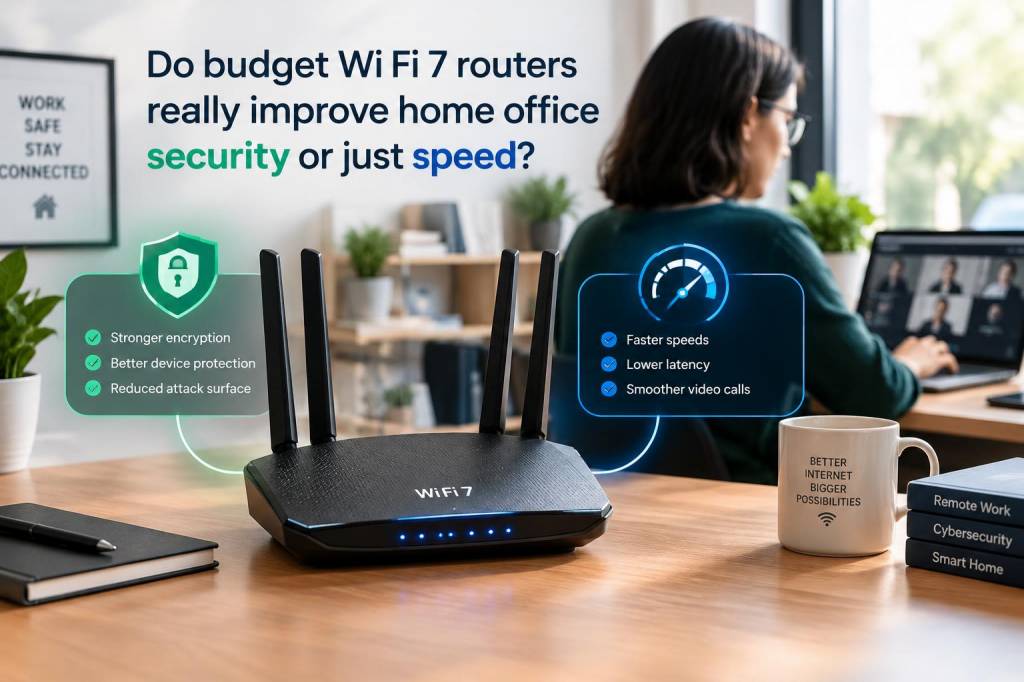
I have spent enough time in home networks to know that security claims often arrive wrapped in speed claims. A new router launches, a box promises faster wireless, and somewhere in the product page a security badge appears almost as an afterthought. That is why I wanted to look at budget Wi-Fi 7 routers through a cybersecurity lens, not just a performance lens. If you work from home, the question is not only whether a new router can move files faster. It is whether it can reduce risk in a meaningful way, or whether it simply gives you a newer radio with a shinier sticker.
My short answer is that a budget Wi-Fi 7 router can improve home office security, but only in specific ways. It is not a magic shield. The security gain usually comes from a newer platform, stronger defaults, and a longer support window, not from Wi-Fi 7 itself. If you buy carelessly, you may get speed without much protection. If you choose well and configure it properly, you can absolutely raise the baseline security of a home office network.
What Wi-Fi 7 changes, and what it does not
Wi-Fi 7 is mainly about wireless performance. It brings higher throughput, lower latency, and better use of crowded spectrum. In practical terms, that can help with video calls, cloud backups, large file transfers, and multiple devices sharing a connection. Those are useful benefits, especially in a home office where a frozen meeting or slow upload can cost time.
But wireless speed and network security are not the same thing. A faster router does not automatically block phishing sites, stop malware, or protect weak passwords. The wireless standard matters less than the security features layered on top of it. In other words, Wi-Fi 7 does not make your home office safer by itself. Security comes from firmware quality, encryption support, access control, update policy, and how you set up the device.
That said, newer routers often ship with a more modern security stack than older models. They may default to WPA3, include automatic firmware updates, and offer better guest network controls. These changes can matter more than raw speed when your laptop, phone, printer, smart speaker, and work device all share one household network.
Where budget models can help
I have seen plenty of older routers that are still running because they “work fine.” The problem is that security risk grows quietly over time. A budget Wi-Fi 7 router can help because it may replace a legacy device that no longer receives updates. That alone can be a meaningful upgrade.
Here are the main security gains I would expect from a decent budget Wi-Fi 7 model:
- WPA3 support for stronger wireless authentication than older WPA2-only gear.
- Better firmware support if the vendor is actively maintaining the platform.
- Safer default settings such as disabled remote administration and stronger setup prompts.
- Improved guest network features for isolating visitors and smart devices from work equipment.
- More modern hardware that can handle security features without becoming sluggish.
In a home office, that last point matters more than people think. A router that struggles under load often gets neglected, rebooted, or misconfigured. A newer platform can make it easier to leave security features turned on without sacrificing day-to-day usability.
Where budget models disappoint
Budget hardware always comes with tradeoffs. I do not expect a low-cost Wi-Fi 7 router to match a premium model in security polish, and that is where buyers need to be careful. Some cheaper devices have limited update histories, simplified management apps, and weak documentation. A router can be fast on paper while still feeling risky in real life.
The biggest concerns I look for are these:
- Unclear update policy with no obvious promise of long-term firmware support.
- Cloud-first management that requires a vendor account for basic settings.
- Poor segmentation when guest isolation and device separation are weak or confusing.
- Marketing-heavy security claims that sound useful but do not explain real controls.
- Overly aggressive app permissions that raise privacy questions.
I also pay attention to whether the router makes secure setup easy. If I have to dig through obscure menus just to enable WPA3, disable WPS, and create a separate network for IoT devices, many users will not bother. Security features that are buried or poorly explained are not as useful as features that are easy to apply correctly.
What actually matters for home office protection
When I evaluate a router for a work-from-home setup, I focus on a few practical security factors. These matter more than whether the box advertises the latest wireless headline.
| Security factor | Why it matters | What I want to see |
|---|---|---|
| Encryption | Protects wireless traffic from easy interception | WPA3 with strong default configuration |
| Firmware updates | Fixes vulnerabilities after release | Clear update policy and automatic patching |
| Network separation | Limits damage if a device becomes compromised | Guest network and IoT isolation |
| Admin access | Protects router settings from abuse | Strong password, no open remote admin by default |
| Logging and alerts | Helps spot suspicious activity | Basic event logs and security notices |
If a router checks these boxes, I start to trust it as a home office device. If it only excels at throughput, I treat it as a performance product, not a security one.
Speed can support security, even if it is not security itself
There is one subtle point worth making: speed can indirectly improve security. That sounds strange at first, but it is real. When a network is faster and more stable, people are less tempted to bypass it with personal hotspots, random extenders, or awkward workarounds. A reliable router reduces the number of improvised fixes in a home office, and improvised fixes often create the real security problems.
For example, if your main router is slow, you may connect work devices to a separate access point that has no proper segmentation. If your video calls drop constantly, you may disable useful security features because you think they hurt performance. If cloud backups take forever, you may postpone them. A better-performing router can reduce this friction, which in turn supports better security habits.
Still, I would not confuse convenience with protection. A fast router with poor firmware is still a weak point. Speed helps only when it encourages disciplined use of a secure network design.
The features I would check before buying
If I were shopping for a budget Wi-Fi 7 router for a home office, I would look past the headline speed number and examine the actual security controls. These are the features I would prioritize:
- WPA3 support with no awkward fallback to weaker settings unless I choose it.
- Automatic firmware updates or at least easy manual update checks.
- Separate guest access that truly keeps visitors away from work devices.
- IoT network options for printers, cameras, speakers, and other low-trust devices.
- Strong router app security with two-factor authentication if a cloud account is required.
- Clear privacy settings so analytics and telemetry are not hidden in obscure menus.
- Reliable parental or content controls only if they are well implemented and not overly invasive.
I also like seeing a vendor with a public track record of security advisories. A company that publishes clear fixes and maintains older products for a reasonable period inspires more confidence than one that disappears once a model leaves the shelf.
Brand examples and what I would watch
In the consumer router market, brands such as TP-Link, Asus, Netgear, Eero, and others often compete hard on features and price. That competition can be good for buyers, but it also creates a lot of marketing noise. Some budget Wi-Fi 7 routers from these brands may offer solid security basics, while others lean heavily on app-driven convenience and cloud services.
I never assume that a familiar brand name automatically means better security. I look at the specific model, the firmware history, and whether the security features are usable without a complicated setup. A router can have a respected logo on the front and still be a poor fit for a home office if updates are slow or segmentation is weak.
In my experience, the safest choice is usually not the cheapest one and not the most expensive one. It is the model that combines sane defaults, honest support promises, and enough processing headroom to keep protections active without compromise.
My practical view after comparing price and risk
If your current router is old, unsupported, or missing WPA3, moving to a budget Wi-Fi 7 router can be a sensible security upgrade. You may gain stronger encryption, better update support, and cleaner isolation between work and home devices. Those are real improvements. They will not stop every threat, but they do raise the cost of opportunistic attacks and reduce avoidable exposure.
If your current router is already well maintained, receives updates, supports WPA3, and gives you good network separation, then Wi-Fi 7 may be more about convenience than security. In that case, the main benefit may be faster throughput and a smoother workday. That is still valuable, but it is not a dramatic cybersecurity leap.
So my answer is this: budget Wi-Fi 7 routers can improve home office security, but only when their security fundamentals are strong and their settings are configured properly. I would never buy one for speed alone if I cared about a work network. I would buy one because it offers a more modern platform, better defaults, and a chance to clean up an aging setup that has quietly become a weak link.
When I think about home office safety, I do not ask whether the router is fast enough for today’s internet. I ask whether it helps me build a network I can trust when work, personal life, and connected devices all share the same walls.