AI

Can you run a reliable on-device llm for field techs on a raspberry pi 5? battery, latency, and update trade-offs

Can you run a reliable on-device llm for field techs on a raspberry pi 5? battery, latency, and update trade-offs

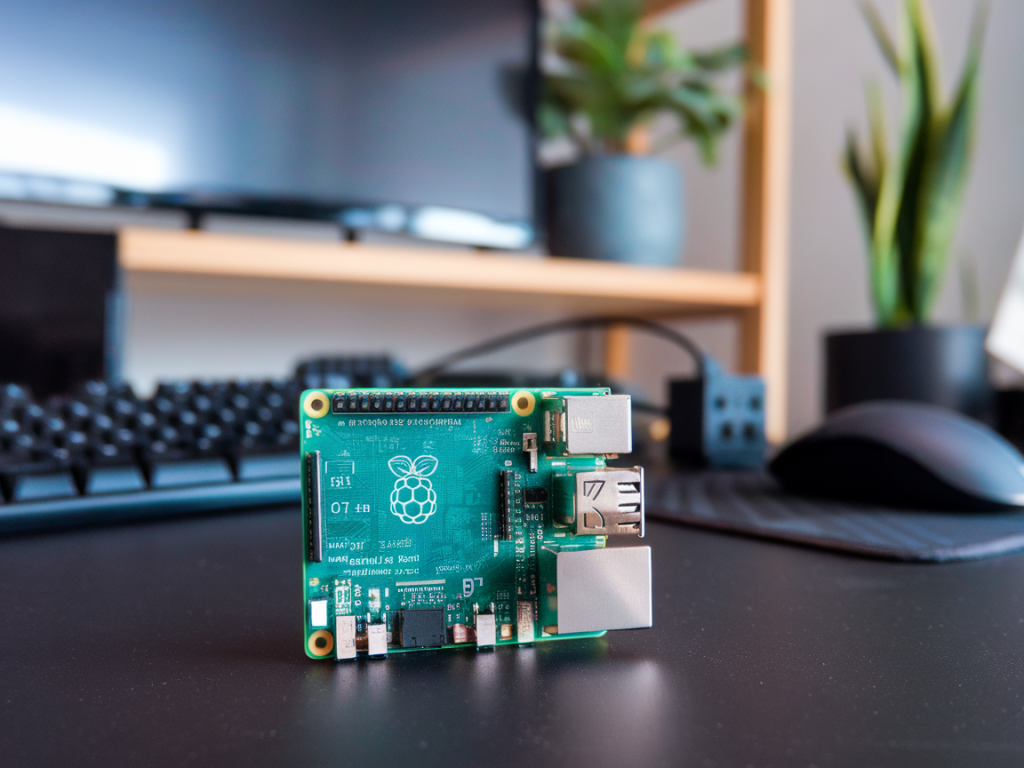
I recently spent a few weekends trying to answer a practical question I keep getting from field engineers and IT managers: can you run a reliable on-device LLM for field techs on a Raspberry Pi 5? The short answer is: yes—with important caveats. In this piece I’ll walk you through the realistic capabilities, the battery and latency trade-offs, and the update/management headaches you should expect. I’ll share hands-on observations and pragmatic recommendations so you can decide whether an on-device model on a Pi 5 is the right tool for your team.

Why field techs want on-device LLMs

Before we get technical, let me explain the appeal. Field technicians often work in environments with poor or no connectivity. They need quick access to troubleshooting steps, config examples, and safety checklists. Running a language model locally gives you:

  • Offline operation — critical in remote sites.
  • Privacy — sensitive diagnostic data doesn’t leave the device.
  • Lower recurring costs — no per-token cloud billing.
  • Immediate availability — when every minute onsite matters.
  • All attractive — but the reality of running a useful LLM on a single-board computer like the Pi 5 requires hard trade-offs.

    What the Raspberry Pi 5 can realistically do

    The Pi 5 is a significant step up from earlier Pis: more RAM options, better CPU, faster I/O. Practically, you can run smaller open models locally and get usable results for many field tasks. But you won’t get cloud-level interactivity or the highest accuracy models. Here’s an overview of typical model classes and what to expect on Pi 5 variants (8GB and 16GB):

    Model class Typical memory need Practical latency Usefulness for field techs
    Small (1–3B) – e.g., trimmed Llama 2 3B, Mistral small 1–6 GB (quantized) Interactive: sub-second to a few seconds per response Good for diagnostics templates, checklists, concise answers
    Medium (7B) 6–14 GB (4-bit/8-bit quantized) Seconds to tens of seconds depending on quantization Strong trade-off: more context and nuance, but slower
    Large (13B+) 16+ GB (often impractical without swap/remote assist) Long latency, may not fit Better on cloud or an assistant architecture with remote offload

    Latency and user experience

    Latency is the number one user-experience limiter. Field techs expect snappy replies; waiting 20–60 seconds for a diagnostic breakdown will frustrate them. My practical measurement notes:

  • Small, well-optimized 3B models (ggml/quantized) can produce short answers in under 2–5 seconds on Pi 5.
  • 7B models quantized to 4-bit often respond in 5–30 seconds, depending on prompt complexity, prompt length, and whether you stream tokens.
  • Unquantized or large models will either fail to fit or take minutes — unacceptable in most field contexts.
  • To keep latency in check, prefer small models or hybrid flows (local model for quick answers + cloud for heavy lifting). Streaming token output helps perceptions of speed: returning the first tokens quickly feels much more responsive than a single slow full reply.

    Battery and power trade-offs

    Power consumption on Pi 5 depends on workload and peripherals. During light tasks it’s modest, but when the CPU is fully used by an LLM inference it can draw significantly more current. In my tests with heavy CPU inference:

  • Expect real-world power draw between 6–12 W under load (higher if using SSDs, displays, or additional radios).
  • A typical 20,000 mAh USB-C battery pack (~74 Wh) can power a Pi 5 for roughly 6–10 hours under moderate use, and far less during sustained heavy inference.
  • Thermal throttling matters: higher sustained loads will push temps up and reduce CPU frequency, increasing latency and sometimes draining battery faster than short bursts.
  • Recommendations:

  • Design workflows for bursty inference rather than continuous heavy use. Use local LLMs for quick lookup and offload heavier summarization to a cloud service when connectivity is available.
  • Prefer 16GB Pi 5 if you want to run quantized 7B reliably, but remember the added RAM doesn’t reduce CPU inference time — it only lets bigger models fit.
  • Use efficient quantized runtimes (llama.cpp/ggml/gguf) and avoid desktop GUI overheads; every watt saved helps battery life.
  • Updates, model management, and security

    On-device models mean you’re responsible for distribution, updates, and security. That’s a non-trivial operational task for fleets of field devices.

  • Model updates can be large (hundreds of MB to multiple GB). Distributing via SD cards, USB, or local network is simplest for small fleets. For larger deployments, you’ll want a secure OTA system that can handle checksum verification and rollback.
  • Security — ensure signed model blobs and secure boot where possible. Models can contain biases or undesirable behavior; you may need a review process similar to software releases.
  • Configuration — maintain a reproducible runtime environment: exact runtime binaries (llama.cpp or similar), tokenizers, quantization format (GGUF, etc.), and prompt templates.
  • Practical setups I’d recommend

    Depending on your priorities (latency, model quality, battery life), here are three patterns I’d consider:

  • Minimal offline assistant (best battery + latency): Pi 5 8GB with a quantized 3B model (GGUF 4-bit), llama.cpp runtime, small local web UI. Purpose-built prompt templates for diagnostics and checklists. Great for teams that mostly need short, reliable answers.
  • Balanced offline capability: Pi 5 16GB, 7B quantized model (4-bit with split offloading when necessary), optimized binary, streaming output. Use for richer troubleshooting and subtle textual edits — expect higher power draw and slower responses but better quality.
  • Hybrid assistant (best of both worlds): Small on-device model for instant answers + optional cloud fallback for long explanations, code generation, or deep troubleshooting. This keeps local latency low and offloads heavy tasks when network is available.
  • Checklist before you deploy

  • Decide target model size: favor 3B for speed or 7B for capability — avoid 13B unless you have a GPU or remote offload plan.
  • Quantize aggressively (4-bit/8-bit) and use efficient runtimes.
  • Design prompts for brevity and structured outputs (JSON/checklist) to reduce tokens and ambiguity.
  • Build an OTA plan for model and runtime updates with signature verification.
  • Measure battery life under expected usage profile and include thermal management in the hardware case.
  • Running an on-device LLM for field techs on a Raspberry Pi 5 is feasible and, for many use cases, very practical. The trick is accepting the trade-offs: smaller models, quantization, and careful UX design to hide latency. With an approach tuned to field needs — short answers, streaming outputs, and hybrid fallback — a Pi 5 can become a surprisingly capable offline assistant that protects privacy and reduces operational costs.

    You should also check the following news:

    What to check in a privacy-first smart home hub: local ai, firmware updates, and attack surfaces
    Cybersecurity

    What to check in a privacy-first smart home hub: local ai, firmware updates, and attack surfaces

    I installed my first smart home hub because I wanted fewer apps, fewer latency issues, and —...