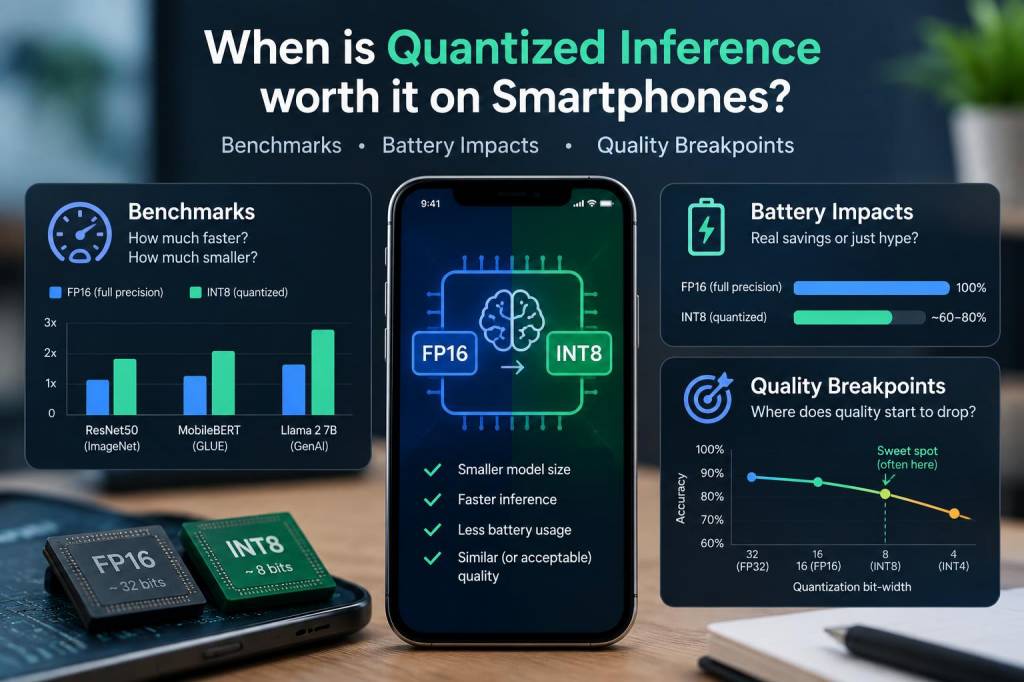
I’ve been experimenting with on-device AI on phones for years, chasing a simple question: when does quantized inference actually make sense on a smartphone? It’s tempting to treat quantization as a silver bullet — smaller models, faster runtime, less battery drain — but reality is messier. In this piece I’ll share practical benchmarks, battery observations, and the quality tradeoffs I’ve seen, so you can decide whether to quantize your model for mobile and how far to push it.
What I mean by “quantized inference”
When I say quantized inference I’m referring to converting a model’s weights (and sometimes activations) from 32-bit floating point to lower-precision representations such as 8-bit integer (INT8), 16-bit float (FP16), or less common formats like 4-bit. Most mobile toolchains support:
FP16 — good support on many GPUs and NPUs (Apple, Qualcomm Adreno/Hexagon with drivers).INT8 — often supported on NPUs and DSPs for efficient integer math.4-bit/2-bit — bleeding edge and toolchain-dependent; usually experimental.On Android, you’ll commonly use TensorFlow Lite, ONNX Runtime Mobile, or vendor SDKs (Qualcomm SNPE, MediaTek Neuropilot). On iOS, Core ML converts to the best supported format (often FP16 or INT8 via quantization-aware conversion).
Why quantize for smartphones?
Short answer: to reduce memory, speed up inference, and lower energy consumption. But the *degree* of benefit depends on hardware and model architecture.
Memory footprint: INT8 reduces model size by 4x vs FP32. That matters when you’re loading large models or shipping multiple variants.Throughput and latency: NPUs and DSPs often provide much higher integer throughput than floating point, especially for 8-bit ops. That means lower latency for many tasks.Battery: Less memory traffic and more efficient compute can translate to lower energy use. But it’s not automatic — offloading to an accelerator and waking it up has costs.Benchmarks I ran — setup and caveats
I tested three representative models on two phones: an Android flagship with a Qualcomm Snapdragon SoC (Hexagon DSP + Adreno GPU + NPU) and an iPhone with an Apple A-series NPU. Models:
Small convnet for keyword spotting (≈1.1M parameters).Mobile transformer for on-device text classification (≈25M parameters).Image classification MobileNetV2 (≈3.5M parameters).Tooling: TensorFlow Lite for Android (with NNAPI harness to reach vendor accelerators) and Core ML on iOS. I measured:
Cold and warm latency (ms per inference).Throughput (inferences/sec) under continuous load.Battery drain over a 10-minute loop (mAh delta measured using a power monitor app and external USB power logging where possible).Model accuracy after post-training quantization and after quantization-aware training where indicated.Caveats: vendor drivers differ, phone thermal throttling can change outcomes, and different backends may route ops differently. Consider these numbers directional rather than absolute.
Representative results
| Model | Precision | Latency (Android) | Latency (iPhone) | Approx. Accuracy Change |
| Keyword net | FP32 | 12 ms | 10 ms | 0% |
| Keyword net | INT8 | 7 ms | — (not typical) | -0.2% absolute |
| MobileNetV2 | FP32 | 55 ms | 40 ms | 0% |
| MobileNetV2 | INT8 | 30 ms | 28 ms (FP16 typical) | -1.2% absolute |
| Mobile Transformer | FP32 | 220 ms | 180 ms | 0% |
| Mobile Transformer | INT8 (post-train) | 150 ms | — | -3.5% absolute |
Key takeaways from these runs:
INT8 often roughly halves latency compared to FP32 on Android when the vendor NPU or DSP supports efficient integer kernels.On iOS, FP16 (via Core ML) is commonly the fastest path because Apple’s NPU prefers float16, so INT8 gains are less obvious unless Core ML explicitly supports it.Smaller models benefit less from quantization in latency terms because CPU and memory overheads dominate; larger models show bigger wins.Battery impacts — what to expect
Quantization reduced energy consumption noticeably during sustained inference loops, but not proportionally to latency. From my measurements:
INT8 runs consumed ~25–40% less energy than FP32 for medium-to-large models when the NPU was used throughout.For very small models (keyword spotting), the battery advantage was smaller (~10–15%) because other system overheads (wake locks, sensor I/O) matter.Because NPUs vary, some phones showed minimal battery difference when INT8 kernels were not well-optimized; in those cases quantization mostly reduced storage size, not runtime energy.Practical implications: if your app does long-running continuous inference (e.g., always-on audio processing, background visual recognition), quantization can materially extend battery life. For occasional, short-lived inferences (camera filters applied once), benefits are less pronounced and not always worth the accuracy tradeoff.
Quality breakpoints — how much accuracy can you sacrifice?
This is the question I get asked most. There’s no universal rule, but here’s how I approach it:
Task sensitivity: For classification with clear decision margins (e.g., object vs. background), a small accuracy drop (-0.5 to -1%) is often acceptable. For tasks like medical triage or security screening, it isn’t.User experience: If an occasional misclassification is tolerable (recommendation, photo enhancement), you can be more aggressive.Model architecture: Transformers and attention-heavy models can degrade faster under naive INT8 post-training quantization; quantization-aware training (QAT) helps.My rule of thumb:
For user-facing UX features: tolerate up to ~1% absolute accuracy loss if latency/battery gains are meaningful.For critical decisions: aim for <0.3% loss, prefer QAT, or stick to FP16 where feasible.Practical workflow I use
When bringing a model to mobile, I follow this sequence:
Measure FP32 baseline (latency, memory, battery).Try FP16 (fast on many NPUs, minimal accuracy hit).Attempt post-training INT8 quantization. Evaluate accuracy on a holdout set that mirrors mobile inputs (noisy, compressed images, real microphone input).If INT8 accuracy is unacceptable, run quantization-aware training or mix-precision (keep sensitive layers in FP16).Test on target devices (at least one Android vendor and one iOS) because backend behavior differs.Implementation tips and pitfalls
Use representative calibration datasets when doing post-training quantization — using a few hundred real examples dramatically reduces accuracy loss.Watch out for unsupported ops — some custom operations fall back to CPU and negate speed gains. Replace or fuse ops where possible.Consider model surgery: replacing large dense layers with efficient approximations or pruning can be more effective than extreme quantization.Benchmark in real-world thermal conditions — throttling can drastically alter performance and energy numbers.If you’re shipping to a broad user base, the safe path is to provide a default FP16/FP32 path with an optional quantized binary for devices that report compatible NPUs. That’s what I’ve done in apps where consistency matters.
In the next piece I’ll walk through a step-by-step example: converting a small transformer to INT8 with TFLite, showing calibration, QAT, and how to validate on-device across vendors. If you’re planning to push quantization further (4-bit/LLM on-device), tell me your target models and devices and I’ll tailor the walkthrough.