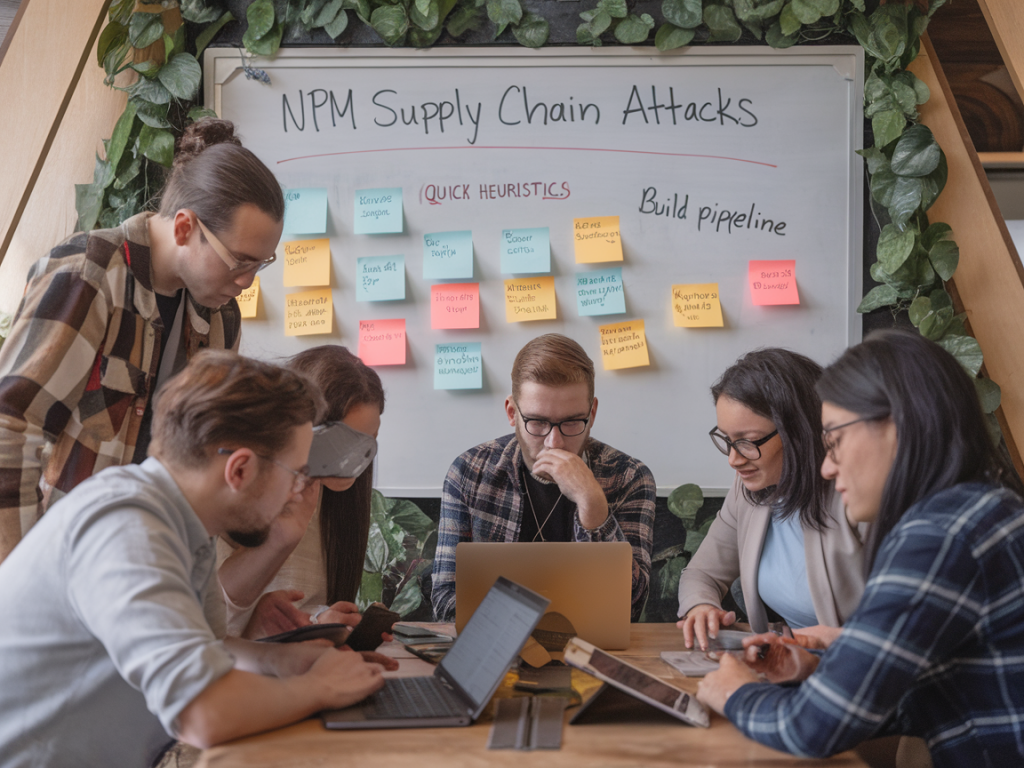
I’ve been tracking npm supply-chain incidents long enough to know that most successful attacks share the same fingerprints — if you know what to look for, you can catch many of them before they ever touch your CI. I’m not talking about exhaustive auditing or complex formal verification here: these are quick, practical heuristics I use when a dependency looks new, a CI alert pops up, or a maintainer says “trust me.” Use them as a fast pre-flight checklist to reduce blast radius and buy time for deeper analysis.
Understand the attack surface
npm supply-chain attacks typically slip in through one of three vectors: a malicious package published under a typosquatting name, a compromised maintainer account pushing a poisoned update, or a dependency that adds a harmful install script or postinstall behaviour. The goal of most attackers is code execution on developer machines or CI runners, exfiltrating secrets or inserting backdoors into downstream builds.
That’s why my heuristics focus on metadata, scripts, and behavioural anomalies — the places attackers tinker with to get code running automatically during install or build.
Quick heuristics I run when a new dependency appears
- Check the package name for typosquatting: Is it one character off from a popular package? Common patterns: extra hyphens, swapped letters (lodash -> lodasj), or domain-like names (expressjs vs express-j). If it looks like an accidental misspelling, treat it as suspicious.
- Validate the publisher and repository link: Click the npm package page and check the author/maintainer name and the linked GitHub repo. Does the repo exist? Is the account new or public activity minimal?
- Review the weekly download counts: Very low downloads for a package that claims to be a mainstream utility is a red flag. Conversely, a sudden spike in downloads for an obscure package can be equally suspicious (campaign or bot-driven).
- Inspect package.json scripts: Look for postinstall, preinstall, prepare, or prepublish scripts. These scripts run on install or publish and are the most common vector for malicious behaviour. If they call arbitrary shell commands, curl/wget, or reference obscure binaries, block and investigate.
- Look for binary modules and native bindings: Packages that download or compile binaries at install time (node-gyp, prebuilt binaries, etc.) increase risk. They might pull artifacts from third-party URLs or execute build steps with elevated privileges.
- Verify consistency across versions: Is a harmless package suddenly shipping a new major version with an unexpected postinstall? Compare diffs between the last trusted release and the new one. Sudden inclusion of a script or additional files is suspicious.
- Check package tarball and checksums: Download the package tarball and scan it locally. Look for obfuscated JS, .sh files, or nested node_modules with unexpected packages. Use shasum comparison if you have a known good checksum (seldom the case but useful for pinning).
- Search for known malicious patterns: Use quick text searches for suspicious keywords in the package contents: "eval(", "child_process.exec", "spawn", "curl", "wget", "base64", "atob", "Buffer.from(", "decrypt", "token", "private", "ssh", "execSync".
- Check the maintainer’s activity and account age: A package published by an account created yesterday with zero public repos and a generic avatar is much more suspicious than one maintained by a long-standing org with many contributions.
- Prefer audited and widely used alternatives: If a tiny package does one line of utility and there’s an established, audited alternative (or you can implement the logic in-house), choose safety over convenience.
Practical CI policies to catch attacks before they execute
I prefer to push defensive checks as early as possible in the build pipeline. Here are a few fast wins I apply in CI pipelines (GitHub Actions, GitLab CI, CircleCI):
- Install with scripts disabled for initial verification: Run npm ci --ignore-scripts (or yarn install --ignore-scripts) in a preliminary step. That prevents postinstall scripts from running while you gather metadata and scan the package tree.
- Use SBOM or lockfile audit step: Generate an SBOM from package-lock.json or yarn.lock and run automated scanners (Snyk, Dependabot, GitHub’s native Dependabot alerts, or OSS-Fuzz where applicable). Fail fast on high severity issues or newly introduced direct dependencies.
- Block changes to lockfiles without human review: Don’t auto-merge Dependabot PRs that update multiple top-level packages without review. Treat lockfile churn like code changes.
- Run a quick static search for risky scripts: Execute a grep-based scan on node_modules for common attack patterns (see keywords above). If matches appear, fail the build and open an investigation ticket.
- Limit CI secrets scope and runtime exposure: Run dependency install steps inside ephemeral build containers without direct access to production secrets. Only inject secrets into later, explicitly trusted stages.
- Use attested base images and pinned tool versions: Ensure Node, npm, and tar implementation versions are pinned in CI. Attackers sometimes rely on behavioural differences across versions or exploit tar vulnerabilities.
Heuristics I use during manual review
If a package fails the quick checks or my gut says “this is odd,” I go deeper with a few focused steps that don’t take long:
- Download and unpack the tarball locally: Inspect package contents rather than relying solely on npm’s web UI. I look for .sh files, .exe, or unexpected binaries in the package root.
- Open any scripts and read them fully: Don’t rely on grep hits. Read the script logic — many malicious scripts obfuscate via base64 blobs or dynamic eval. If you see a long base64 string being decoded and executed, that’s a straight red flag.
- Trace network calls: If scripts fetch remote resources, follow those URLs in a safe environment (sandbox or isolated network) to see what they provide. Domains used by attackers are often short-lived or use random subdomains.
- Verify repository history: On GitHub check the commit history, commit messages, and contributors. A single recent commit like “publish v1.2.3” with no actual code changes deserves scrutiny.
Simple table of risk indicators
| Indicator | Why it matters | Quick action |
|---|---|---|
| New author / new account | High chance of typosquat or throwaway publisher | Delay, inspect tarball, and search for typosquatting |
| postinstall / preinstall scripts present | Scripts run during install and can execute arbitrary code | npm install --ignore-scripts then inspect scripts |
| Sudden dependency change | Compromised maintainer or malicious update | Diff releases, review commit history |
| Low downloads + new significant claims | Possible masquerade or bait-and-switch | Prefer established libs or vendor in-house |
Tools and commands I rely on
Some low-friction tools I run as part of my heuristics:
- npm audit / yarn audit — quick vulnerability checks, though not comprehensive for malicious intent.
- tar -xzf package.tgz && rg -n "postinstall|child_process|curl|base64" — ripgrep for fast local content scans.
- npm ci --ignore-scripts — prevents install-time script execution while allowing lockfile-accurate installs.
- Snyk / Dependabot / GitHub security alerts — integrate them but don’t treat them as a sole gate; they can miss malicious logic that isn’t a known CVE.
- ossf-scorecard / snyk container image scanners for CI runner images and binary artifacts.
When you should block and escalate
There are clear stop signs that mean “do not merge, do not use”: presence of obfuscated code that decodes to a shell exec, downloads to /tmp from non-reputable domains, scripts that attempt to read environment variables or credentials files, or publisher accounts that can’t be traced to an organization or developer identity.
When I hit one of those signs, I freeze the dependency, open a security issue in the repo (if one exists), and escalate to security/infra teams. If the package is transitive (a dependency of a dependency), I look for ways to patch via resolutions in package manager lockfiles or to replace the top-level dependency that pulls it in.
Practical trade-offs — speed vs. total assurance
I’m realistic: these heuristics won’t catch every sophisticated attack. Nation-state level or highly-targeted campaigns can game metadata and maintain credible repos. But the vast majority of supply-chain incidents rely on opportunistic tricks that these checks catch. In a fast-moving product team, you want a layered approach: quick heuristics as the first barrier, automated scanners in CI, and deeper manual analysis for anything that trips alarms.
If you want, I can share a tiny bash script I use to implement the initial CI checks (tarball unpack, script search, author age check) — it’ll save you a few minutes every time a new dependency shows up. Want me to paste it into the next message?