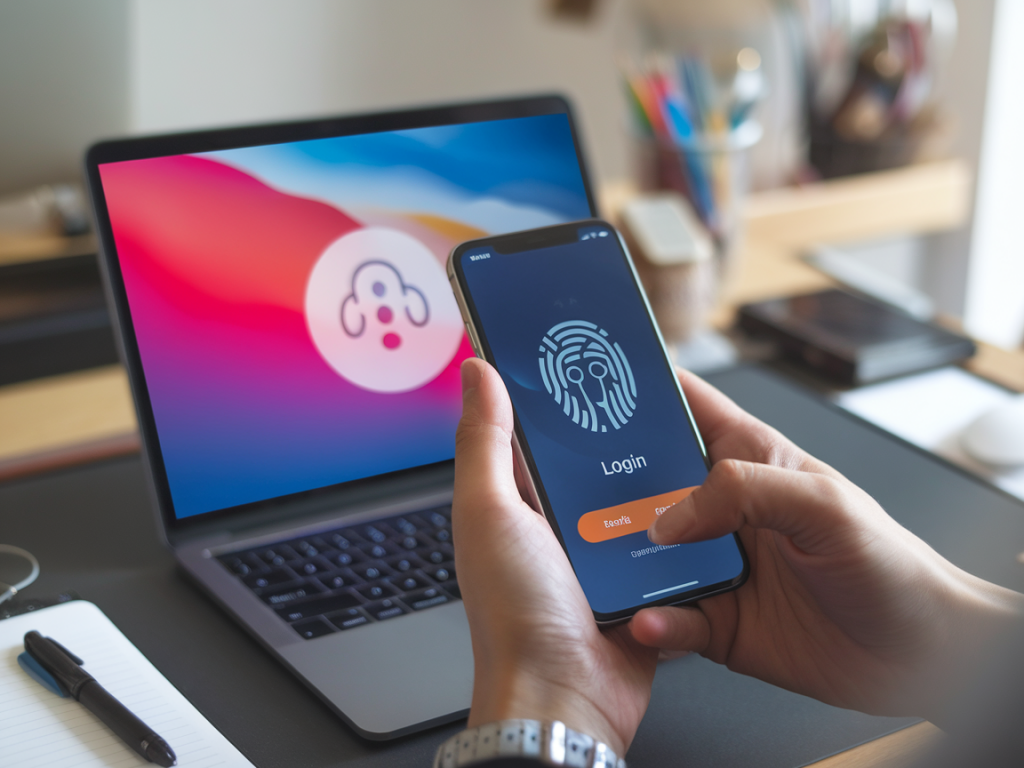
I’ve been tracking the slow, steady shift toward passwordless authentication for years now — testing products, probing security claims, and watching organizations wrestle with the trade-offs. Passwordless is no longer a futuristic checkbox; for many enterprises it’s a practical way to reduce phishing risk, improve user experience, and simplify credential lifecycle management. But “passwordless” is a broad label. If you’re evaluating solutions for your company, you need concrete, practical criteria that cut through marketing gloss.
Below I share the checklist I use when assessing enterprise passwordless offerings. I focus on questions that matter day-to-day: security properties you can measure, deployment and operational realities, integration pain points, and user experience quirks that become support headaches at scale. I’ve tried to keep this actionable — you should be able to take these points into vendor conversations, proofs of concept, and procurement documents.
What does “passwordless” actually mean here?
First, confirm the vendor’s definition. In my experience, “passwordless” can mean several different architectures:
- Device-bound credentials — private key stored in hardware (TPM, secure enclave) and unlocked with biometric or PIN (FIDO2/WebAuthn).
- Transient authentication codes — OTPs delivered to a device (push, SMS, TOTP) without storing a reusable password.
- Delegated authentication — SSO using identity providers or social logins that remove local passwords.
Each approach has different security and operational implications. I prefer solutions that prioritize device-bound FIDO2 flows for high-assurance access, and that use push/OTP as fallback where necessary.
Security criteria — what I test and demand
Security should be a table-stakes topic, but vendors vary widely. I look for:
- Cryptographic proof — Does the product implement FIDO2 / WebAuthn with public-key cryptography? Ask for technical documentation and test vectors.
- Hardware-backed keys — Are keys stored in TPM, Secure Enclave, or secure elements? If keys are software-only, understand the threat model where devices could be cloned.
- Phishing resistance — Can the method prevent credential replay or man-in-the-middle attacks? FIDO resident keys + origin-bound authentication are strong here.
- No shared secrets — Avoid solutions that rely on reusable tokens or passwords stored centrally without hardware protections.
- Recovery and account takeover protections — What’s the account recovery flow? Vendors that default to SMS or email-only recovery introduce real risk.
- Cryptographic agility & standards compliance — Support for evolving algorithms, clear versioning, and adherence to standards (FIDO Alliance, NIST guidelines).
- Attestation & device governance — Can the solution provide attestation of device health and type (enterprise-managed, unmanaged)? Attestation helps enforce policies like “keys only allowed on company-managed laptops.”
Operational criteria — what makes life easier or harder
Security is necessary but not sufficient. I always weigh operational overhead:
- Deployment modes — Does the vendor support cloud-native, on-prem, or hybrid deployments? Many regulated orgs require on-prem or private cloud options.
- Directory & identity integration — How well does it integrate with Active Directory, Azure AD, Okta, LDAP, or your identity governance tools? Check SAML/OIDC flows and SCIM support for user lifecycle automation.
- Management APIs and automation — Are there REST/Graph APIs and IaC-friendly tooling? I refuse to commit to a product that can’t be automated for provisioning and revocation.
- Monitoring, logging, and SIEM integration — Does it export events in a usable format, include risk signals, and integrate with your SIEM for alerts and forensic analysis?
- Scalability and latency — Ask for benchmarks: authentication latency, throughput limits, and expected load during peak hours (e.g., shift starts, M&A onboarding waves).
- Offline and roaming support — Can users authenticate when offline, on mobile networks, or using different devices? Consider field staff and travel scenarios.
- Device lifecycle and key rotation — How are keys provisioned, rotated, and revoked when a device is lost, replaced, or retired?
User experience — what users will actually do
Great security fails fast if users circumvent it. I test the flow from a new hire’s first login through common day-to-day tasks:
- Onboarding simplicity — How many clicks and steps to register a device? Can non-technical users register a YubiKey or use passkeys on iOS without scripting?
- Fallback flows — If biometric auth fails, what happens? Fallbacks must be secure (e.g., enterprise-approved helpdesk reset with multi-factor verification), not just “send an email.”
- Cross-platform consistency — Does the experience make sense on Windows, macOS, iOS, and Android? Some solutions are great on desktops but clumsy on mobile.
- Accessibility — Can users with disabilities authenticate without extra friction? This is often overlooked but critical for compliance and inclusion.
- End-user education & support — Does the vendor provide clear guidance, troubleshooting docs, and admin playbooks? The best products include sample scripts for common workflows.
Compliance, privacy, and legal considerations
Ask about data residency, retention, and legal protections:
- Data residency — Can user credentials/metadata be kept in-region if required by regulation?
- Privacy-preserving design — Does the vendor collect minimal metadata? Avoid vendors that centralize raw biometric data or sensitive device fingerprints.
- Auditability & certification — Do they have SOC2, ISO 27001, or equivalent? For high-security sectors, FIPS-validated crypto may be necessary.
- Contractual SLAs — Look for uptime, support response times, and breach notification commitments. Test the vendor’s incident playbook in a tabletop exercise.
Cost model and TCO
Pricing shapes adoption. I run a total cost of ownership that includes:
- Per-user or per-device pricing — Which is better for your environment? High device churn favors per-user pricing.
- Hardware token costs — If you plan to issue FIDO keys, factor in procurement, distribution, spares, and replacement expenses.
- Support and admin time — Estimate helpdesk tickets per 1,000 users during rollout and steady-state.
- Integration & migration effort — Include custom engineering hours for SSO, API integrations, and identity governance work.
Proof-of-concept checklist — what I run in a PoC
A PoC should be time-boxed and measurable. My standard tests include:
- Register and authenticate — Register across platforms (Windows with TPM, macOS Secure Enclave, iOS passkeys, Android FIDO) and verify success rates.
- Failover scenarios — Simulate lost device, biometric failure, and offline authentication. Time recovery operations.
- Attestation validation — Verify attestation claims and confirm policy enforcement for managed vs unmanaged devices.
- Scale test — Simulate peak authentication load and measure latency and errors.
- Incident exercise — Run a mock compromise and exercise revocation, forensics, and communications.
| Criteria | Must-have | Nice-to-have |
|---|---|---|
| Phishing resistance | FIDO2 / origin-bound keys | Hardware attestation |
| Integration | SAML/OIDC, SCIM, AD/AzureAD support | Pre-built connectors for SaaS apps |
| Recovery | Secure multi-factor assisted recovery | Delegated escrow with admin controls |
| Operational | APIs & automation | Built-in device compliance checks |
I’ve seen teams rush to passwordless because it sounds modern, only to get tripped up by recovery nightmares or incomplete platform support. Conversely, organizations that pilot thoughtfully — emphasizing hardware-backed keys, robust recovery, and seamless onboarding — see measurable reductions in phishing incidents and helpdesk volume.
If you want, I can help you translate this checklist into a vendor RFP or a PoC script tailored to your environment (Windows-heavy enterprise, cloud-native dev org, or mixed-device workforce). I’ve worked through these scenarios with tools like Microsoft Azure AD Passwordless, Okta Passkeys, YubiKey deployments, and newer passkey-first vendors — and there are practical trade-offs to weigh depending on your user base and compliance needs.

