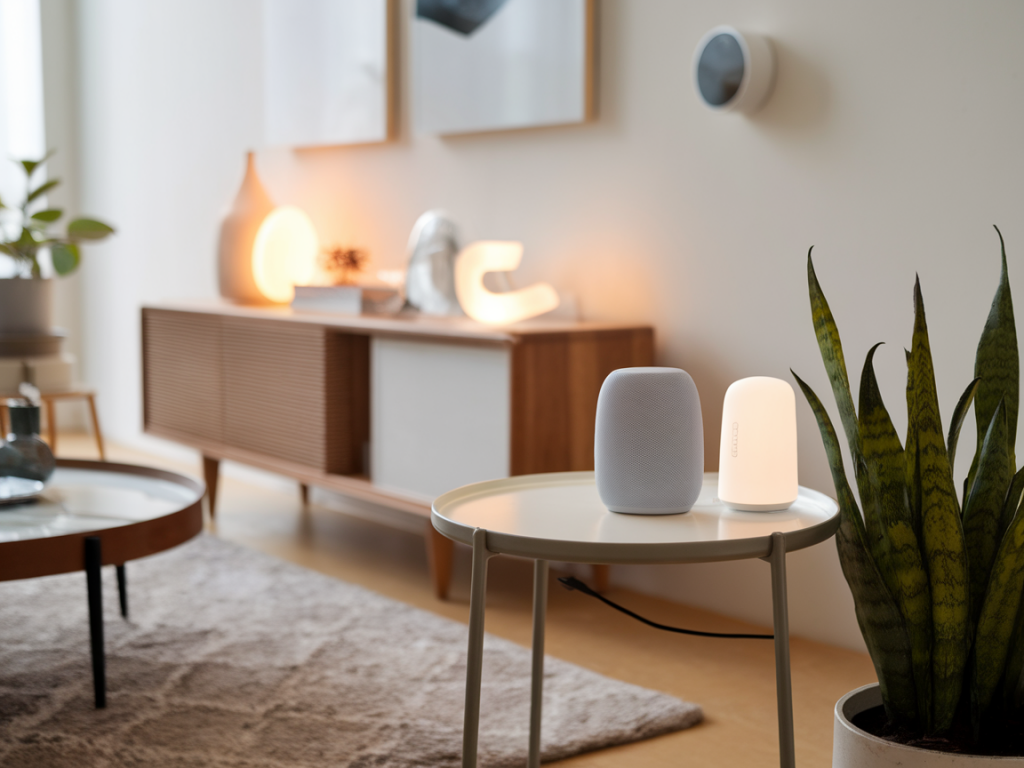
I’ve spent years testing gadgets and poking at the settings screens most people never touch. Smart home gear can make life easier, but it also opens a lot of new privacy and security questions. If you want a smart home that respects your data, the hub—the piece that ties sensors, speakers, and cameras together—deserves special attention. Below I share what I personally look for in a privacy-first smart home hub before I buy, with practical signals you can check during research and at setup.
Local-first processing and edge capabilities
My first rule: prefer hubs that do as much as possible locally. When automations, device state, and rule evaluation happen on the hub itself (or on a trusted device in your home), fewer sensitive events need to travel to cloud servers. That reduces risk and gives you faster, more reliable automations when your internet flakes out.
Signals to look for:
- Documentation that explicitly states which functions are handled locally (e.g., rule engine, voice recognition, camera person detection).
- Options to disable cloud features or to opt out of telemetry.
- Support for local backups and exports of configuration and logs.
Open-source software or transparent architecture
I’m biased toward open-source hubs or at least ones with a strong public security model. Open code doesn’t guarantee safety, but it lets independent researchers audit behavior, discover leaks, and build integrations.
What I check:
- Is the hub firmware or controller software open-source (e.g., Home Assistant, OpenHAB) or does the vendor publish technical specs and APIs?
- Are there community ports or unofficial integrations that prove people can run it without proprietary cloud services?
- Does the vendor publish a vulnerability disclosure program or security whitepaper?
Protocol support and interoperability
Privacy-friendly hubs avoid locking you into a single vendor ecosystem. I look for support for industry-standard, local protocols like Matter, Zigbee, and Z-Wave, plus useful adapter support for Bluetooth and Thread where practical.
Why it matters:
- Matter focuses on secure, local-first device commissioning and operation, which is a win for privacy.
- Multiple-protocol support reduces reliance on cloud bridges—those are frequent leak points.
- Better interoperability makes it easier to retire a vendor later without replacing your entire setup.
Minimal cloud dependence and clear account policies
Many hubs require an account to unlock features. That’s often convenient, but it means more data tied to your identity. I prefer hubs that offer full functionality without mandatory cloud sign-in, or at least let me create a local-only account.
Questions to ask before buying:
- Is a vendor account mandatory for routine use?
- What data is stored in the cloud versus on-device?
- Can I delete my account and all associated cloud data? Is deletion documented and tested?
Encryption, keys, and secure local storage
Encryption in transit and at rest matters. Look for hubs that use TLS for remote access and encrypt local databases or sensitive blobs. Better yet: hardware-backed key storage (TPM or Secure Enclave) to protect secrets like Wi‑Fi credentials and device keys.
Useful check points:
- Vendor documentation on encryption (TLS versions, certificate pinning, storage encryption).
- Hardware security features listed in specifications.
- Ability to rotate or export keys and credentials for migration.
Granular permission and network segmentation
I segment my smart devices onto a separate VLAN or guest network. The hub should either support that setup or be able to coexist with it. Even better: the hub itself should allow fine-grained permissions for different users and integrations.
Features to value:
- Per-user roles (admin, guest, limited scheduler) and API keys with scoped permissions.
- Documentation on recommended network topology (VLANs, firewall ports).
- Support for local mDNS/LLMNR or secure discovery mechanisms without exposing devices broadly on the LAN.
Camera and microphone policies
Cameras and voice assistants are the most privacy-sensitive elements. I look for hubs that avoid sending raw audio/video to the cloud by default and offer on-device processing for detection and voice wake-word recognition.
What to verify:
- Can you disable cloud storage for camera footage and keep recordings on local NFS/SMB or a NAS?
- Is on-device person/face detection available (and can you opt out of any biometric feature)?
- Does the hub indicate when microphones/cameras are active with hardware LEDs?
Update cadence and vendor trustworthiness
Security updates are as important as the initial privacy promises. I examine the vendor’s history: do they regularly patch firmware? Do they disclose CVEs and provide upgrade instructions?
Red flags:
- Long gaps between firmware updates or no changelog.
- Vendors that make vague privacy claims without technical detail.
- No documented way to restore or factory-reset a compromised device securely.
Data minimization and telemetry transparency
Some hubs send diagnostic telemetry to the cloud. That can be useful for debugging, but I expect full disclosure and opt-out choices. Data-minimizing designs collect only what’s necessary, anonymize it, and store it for the shortest practical period.
Checklist:
- Is telemetry opt-in rather than opt-out?
- Can you review and export the telemetry before deletion?
- Does the privacy policy clearly list what is collected, why, and retention windows?
Migration, backups, and vendor lock-in
I don’t want my hub to become a golden handcuff. Can I back up my configuration? Can I export automations, device lists, and credentials? Hubs that lock everything into a proprietary cloud make it costly to move later.
Look for:
- Config export formats that are documented and machine-readable.
- Community support for migrating to open controllers (Home Assistant, Homebridge, etc.).
- Clear policies for data export and account deletion.
Community, audits, and third-party validation
A healthy community is often the best safety net. Home Assistant and similar open projects have strong communities and many integrations vetted by volunteers. For commercial hubs, independent audits, bug bounties, and active security disclosures are good signals.
Where to look:
- Community forums, GitHub issues, and third-party reviews showing real-world problems and fixes.
- Published security audits or penetration test summaries.
- Vendor participation in responsible disclosure programs and public CVE handling.
Practical buying checklist
| Question to ask | Why it matters |
|---|---|
| Does the hub run locally without cloud? | Reduces external data exposure and improves reliability. |
| Is the software open or documented? | Enables audits and long-term maintainability. |
| Which protocols are supported? | Matter/Zigbee/Z-Wave support lowers vendor lock-in risk. |
| Are camera/audio features local and optional? | Protects sensitive personal data from unnecessary cloud processing. |
| Can you export config and data? | Ensures migration and data control. |
| Does the vendor publish security policies and update history? | Shows commitment to long-term security. |
Examples from my testing: Home Assistant (self-hosted) gives you maximum control and local processing, but needs more hands-on setup. The Silicon Labs-based hubs and newer Matter-certified connectors aim for a sensible middle ground—Matter devices give you standardized, secure commissioning and the ability to use local controllers. Commercial options like the Apple HomePod (for HomeKit) or Home Assistant Yellow/Blue devices can be privacy-friendly if you understand what remains cloud-dependent (Siri requests, iCloud backup, etc.) and configure them accordingly.
Buying privacy-first hardware is not a single checkbox—it's about tradeoffs, documentation, and control. If a vendor can’t clearly answer how and where my data is processed, stored, and deleted, I move on. Conversely, transparent vendors that allow local-only operation and provide clear migration paths earn my trust and my money.
If you want, tell me what devices you already have (brands, protocols), and I’ll help you map a privacy-first hub choice and a network layout that fits your home and threat model.

